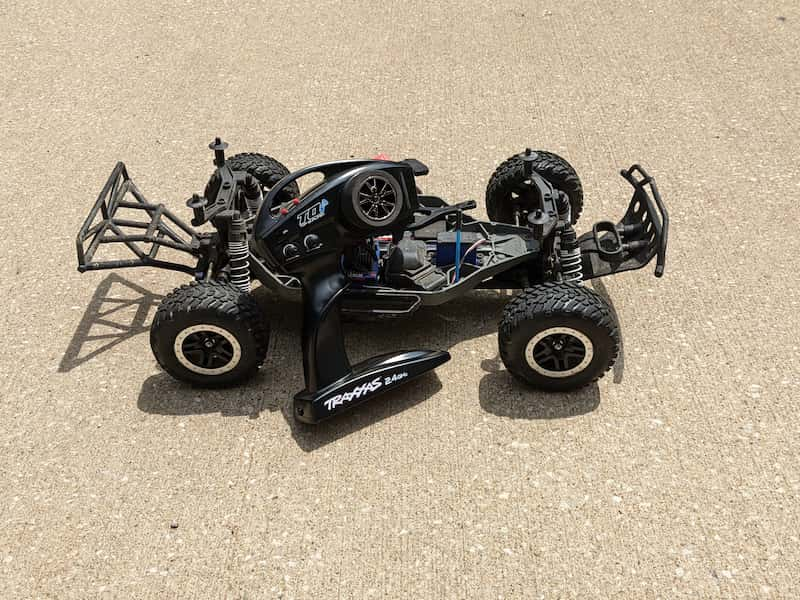
Short answer: binding pairs a transmitter with a compatible receiver, but the exact steps depend on the radio brand and protocol. Match the transmitter and receiver first, power the receiver correctly, use the correct bind button or bind plug, keep throttle and steering neutral, and check fail-safe behavior before driving.
Affiliate disclosure: As an Amazon Associate, I earn from qualifying purchases. If you use an Amazon link on this page, RC Tech Tips may receive a commission at no extra cost to you. Buy radio gear only after confirming compatibility.
Check Compatibility Before Binding
A transmitter usually binds only to receivers that use the same brand ecosystem and protocol. Spektrum DSMR, Traxxas TQi, FlySky AFHDS, Futaba, and other systems are not automatically interchangeable.
- Match transmitter brand and receiver protocol.
- Confirm the receiver has power from the ESC/BEC or receiver battery.
- Use the receiver’s actual bind button or bind plug method.
- Keep throttle neutral and wheels off the ground.
- Check steering direction, throttle direction, and fail-safe before driving.
Generic Binding Workflow
- Turn the transmitter and vehicle off.
- Put the receiver into bind mode using its button or bind plug.
- Put the transmitter into bind mode using the manual for that radio.
- Wait for a solid receiver light or the radio’s bind confirmation.
- Remove the bind plug if your system uses one.
- Restart the system and test steering, throttle, brake, and fail-safe.
If you are working on a Traxxas model, use the dedicated Traxxas TQi binding guide. If the receiver LED is the main problem, see Traxxas receiver blinking red.
When To Buy Replacement Radio Gear
Buy parts only after you know whether you need a receiver, a transmitter, a matched radio system, or a small accessory such as a bind plug. A bind plug is not universal, and a receiver from the wrong protocol will not bind just because it fits in the receiver box.
RC radio gear compatibility checks

Spektrum SR315 DSMR receiver
Spektrum SR315 3-Channel 2.4GHz DSMR RC Sport Receiver: Surface , Black
Best for: Spektrum DSMR transmitter owners replacing a receiver
Avoid if: readers using Traxxas FlySky Futaba or other protocols
Verify protocol transmitter compatibility and channel count.
Buy on Amazon
Traxxas TQi radio system
Traxxas TQi 4-Ch 2.4 GHz Radio System & Wireless Module
Best for: Traxxas owners who need a matched radio-system path
Avoid if: readers with non-Traxxas receivers or simple battery issues
Verify TQi generation TSM support and receiver compatibility.
Buy on Amazon
FlySky FS-GT5 radio system
Flysky FS-GT5 6CH AFHDS RC Transmitter w/ FS-BS6 Receiver for RC Car Boat
Best for: budget builders replacing both transmitter and receiver together
Avoid if: readers trying to bind a receiver from another protocol
Verify included receiver channels and model compatibility.
Buy on Amazon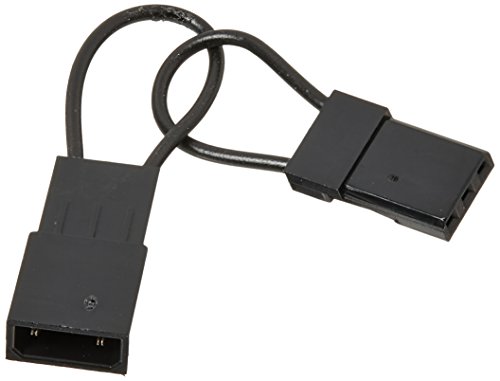
Spektrum bind plug
Spektrum Male/Female Universal Bind Plug , Black Small
Best for: receivers whose bind process specifically requires a bind plug
Avoid if: readers whose receiver has a bind button or different process
A bind plug is not universal; check the receiver manual first.
Buy on AmazonTroubleshooting Table
| Problem | Check first | Do not buy yet if… |
|---|---|---|
| No receiver light | Receiver power and plug direction | The ESC/BEC is not powering the receiver |
| Receiver binds but controls are wrong | Channel order, reversing, calibration | The transmitter settings are not checked |
| Receiver will not enter bind mode | Manual, bind button/plug, receiver damage | You are using the wrong bind method |
| Intermittent connection | Antenna, battery voltage, loose plugs | The fault happens only when wires move |
For broader radio questions, read do RC cars interfere with each other? and what Spektrum AVC does.
FAQ
Can any RC transmitter bind to any receiver?
No. The transmitter and receiver need a compatible brand ecosystem and radio protocol.
Do all receivers need a bind plug?
No. Some receivers use a bind plug, some use a bind button, and some use a menu-driven process. Check the receiver manual.